Draw Calls and Batching: The Cost of Asking the GPU
A scene can choke the processor long before it troubles the graphics card, because every request to draw carries bookkeeping, and batching is the craft of asking fewer, larger questions.

A newcomer to rendering tends to measure a scene by its triangles, as one might measure a cathedral by its stones. The count is easy to read and seems to explain everything. Yet a great many slow scenes are slow for a reason that has little to do with geometry at all. They contain a few hundred thousand triangles, which any modern graphics card would swallow without complaint, but those triangles are scattered across thousands of separate objects, each drawn with its own request, and it is the requesting rather than the drawing that brings the frame to its knees.
That request is the draw call: a command issued by the CPU instructing the GPU to render a piece of geometry with a given shader and set of resources. Each one must be prepared, validated and handed to the driver, and the preparation happens on the processor, often on a single thread, while the graphics card waits for work. When the queue of requests grows long enough, the GPU sits idle between them like a scribe whose master dictates one word at a time.
Batching is the collective name for techniques that reduce this overhead, either by merging many objects into fewer requests or by making each request cheaper to issue. Unity offers several such techniques, and they differ in their conditions, their costs and the situations in which they help. Understanding them requires first understanding what the CPU is actually doing when it asks the GPU to draw.
What a draw call really costs
The GPU itself does not mind drawing ten small objects instead of one large one; once the commands arrive, it processes them quickly. The expense lies upstream. Before each draw, the engine must determine which renderers are visible, gather their transforms, bind the right mesh buffers, upload per object constants such as the model matrix, and translate all of this into calls to the graphics API. The driver then validates the request and encodes it into a command buffer. Repeated thousands of times per frame, these small chores add up to milliseconds.
Within that overhead, the heaviest part is usually not the draw itself but the change of render state that precedes it. Switching to a different shader, binding new textures, altering blending or depth settings: each of these forces the driver to reconfigure more of the pipeline. Unity's Rendering Statistics window reports two separate figures for this reason, Batches and SetPass calls, the latter counting how often a different shader pass had to be set up. A scene with many draws but few SetPass calls is in far better health than one where every object demands its own configuration.
This explains a pattern that puzzles many developers: a frame can be slow while the GPU profiler shows the graphics card mostly idle. The bottleneck is the main thread or the render thread, busy building commands. Unity's Profiler makes the distinction visible, separating CPU time spent in rendering from GPU time where the platform supports it, and the first diagnostic question for any slow scene is simply which of the two processors is waiting for the other.
Shared materials and the atlas
Almost every batching technique shares one precondition: the objects to be combined must use the same material, or at least the same shader variant. A material is the bundle of shader plus property values, and two objects with different materials cannot be drawn by a single request without some trick that reconciles their differences. Consequently the most effective optimisation is often not a technical feature at all but a discipline in how assets are made, keeping the number of distinct materials in a scene small.
There is a famous trap in Unity's scripting API here. Reading Renderer.material from a script silently creates a copy of the material for that renderer, so that changes affect only one object. This is convenient and also quietly ruinous, because each copy is a new material that no longer batches with its former siblings. Renderer.sharedMaterial accesses the asset itself without copying, and per object variations are better expressed through other means when batching matters.
The texture atlas is the artist's half of the same discipline. If a tavern's tables, chairs, barrels and shelves each have their own texture, they need four materials; if their textures are packed into one larger image and their UV coordinates are arranged to address the right region, a single material serves them all. Atlasing has costs of its own, among them wasted space, mipmap bleeding at region edges and less freedom to tile, but for families of props that appear together it is one of the oldest and most dependable ways to make batching possible.
Static batching
Static batching applies to objects that never move. When a GameObject is marked Batching Static in the Inspector, Unity combines the meshes of static objects sharing a material into larger vertex and index buffers, already transformed into world space, either at build time or when the scene loads. Walls, floors, rocks and buildings in a fixed level are the natural candidates. StaticBatchingUtility.Combine offers the same process from script for geometry assembled at runtime, such as a procedurally placed village that stops changing once built.
Its benefit is sometimes misunderstood. Unity's documentation is explicit that static batching does not necessarily reduce the number of draw calls; objects are still culled individually, and the visible ones are drawn as ranges within the combined buffer. What it reduces is the render state changes between those draws, because consecutive ranges share buffers and material and the engine need not rebind anything. Since state changes are the expensive part, the saving can be considerable.
The price is memory. Because each object's vertices are copied into the combined buffer in world space, a mesh used a hundred times as static instances is stored a hundred times over, rather than once with a hundred transforms. For a level built from many copies of the same rock, this can inflate memory considerably, and in such cases GPU instancing, which keeps one copy of the mesh, may be the better choice.
Dynamic batching and GPU instancing
Dynamic batching addresses small moving objects. Each frame, the CPU takes qualifying meshes that share a material, transforms their vertices into world space itself and writes them into a shared buffer, which is then drawn in one call. The conditions are strict: Unity refuses it for meshes with more than 300 vertices or more than 900 vertex attributes in total, among other restrictions. Because the transformation is done on the CPU every frame, the technique trades draw call overhead for vertex processing, and on modern hardware the trade often fails to pay.
GPU instancing is the more modern approach to many identical objects. The same mesh is drawn many times in a single call, and the varying data for each copy, at minimum its transform, is supplied in a buffer that the vertex shader indexes by instance ID. Enabling it is often as simple as ticking Enable GPU Instancing on a material whose shader supports it, after which Unity groups renderers using that mesh and material. Graphics.RenderMeshInstanced lets code issue instanced draws directly without any GameObjects at all.
Instancing shines where repetition is real: grass, trees, fence posts, crowds of identical soldiers, the stakes of a long palisade. Per instance variation, such as a different tint for each copy, can be passed through a MaterialPropertyBlock with properties declared as instanced in the shader, so that variety does not require separate materials. It does nothing, however, for a scene made of many different meshes, where each distinct mesh still needs its own draw.
The SRP Batcher
The Scriptable Render Pipelines, URP and HDRP, introduced a different idea. The SRP Batcher does not merge geometry and does not reduce the number of draw calls. Instead, it makes each draw call far cheaper to issue by keeping material properties in persistent buffers in GPU memory. In the old path, the engine uploaded each material's constants anew when it switched to it; with the SRP Batcher, material data is uploaded only when it changes, and per object data is written into a large buffer in one pass.
Its batching unit is the shader variant rather than the material. Many different materials sharing one shader variant can be drawn in a consecutive sequence with minimal setup between them, each simply pointing at its own block of persistent data. This is why the SRP Batcher suits scenes with many materials better than the older techniques, which demanded identical materials before they could help at all. In the Frame Debugger such runs appear as SRP Batch entries with a count of draws inside.
Compatibility depends on the shader. Its material properties must be declared inside a constant buffer named UnityPerMaterial, and the built in engine properties inside UnityPerDraw; shaders written with the Shader Graph and the standard URP shaders satisfy this automatically. One notable incompatibility is that renderers using a MaterialPropertyBlock fall out of the SRP Batcher path, so the habit carried over from instancing can undo the newer optimisation. When a renderer is eligible for both, the SRP Batcher generally takes precedence over GPU instancing.
Reading the Frame Debugger
All of this theory is useless without seeing what the engine actually does, and the Frame Debugger, found under Window, Analysis, is the instrument for that. It freezes a frame and lists every rendering event in order, allowing the developer to step through them and watch the image assemble itself draw by draw. Selecting an event shows the shader, the keywords, the textures and the properties used, which reveals at once whether two objects that were expected to batch are in fact sharing anything.
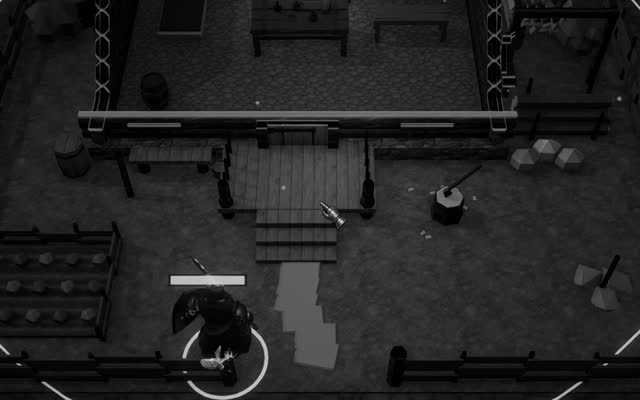
Most useful of all, the Frame Debugger often states why a batch was broken. It may report that two objects use different materials, that a renderer has a MaterialPropertyBlock, that the objects have different lightmaps or that a shader is not compatible with the SRP Batcher. These short explanations turn guesswork into a list of concrete fixes. A torchlit night scene in Crown & Ashes, for instance, might reveal that each torch flame carries its own material instance, an error easily corrected once seen.
Optimisation of draw calls is rarely won by any single feature. It is won by a succession of modest decisions: fewer materials, shared textures, static flags on what does not move, instancing for what repeats, compatible shaders for the SRP Batcher, and a habit of opening the Frame Debugger before assuming anything. The GPU is a patient servant, and the art lies in giving it its instructions in long sentences rather than in a stammer of single words.