GameObjects and Components: How Unity Thinks About a Scene
A Unity GameObject is an almost empty container with a guaranteed Transform; everything it can do comes from components attached to it, and understanding that single idea shapes every sound decision about structure and performance.
Open any Unity scene and look at the Hierarchy window, and you will find a list of names that seem, at first, to be the things of the game: a camera, a light, a terrain, perhaps a figure called Player. It is tempting to read them as objects in the ordinary sense, each one a self contained thing that knows what it is and how it ought to behave. That reading is understandable, and it is mistaken in a way that matters, because the names in that window are closer to empty containers than to finished things.
A GameObject in Unity is, by itself, very nearly nothing. It has a name, a tag, a layer, an active flag and a place in the scene, and little else. Everything that makes it visible, solid, audible or alive arrives in the form of components, small units of data and behaviour fastened onto it one by one. A camera is a GameObject carrying a Camera component; a lamp is a GameObject carrying a Light; the player is whatever collection of parts someone chose to assemble under that name and leave there.
This arrangement is the central idea of the engine's design, and nearly every habit a Unity developer forms, good or bad, grows out of how well it has been understood. What follows is an attempt to describe it with some care: the one component that is always present, the philosophy of building by assembling parts, the real cost of looking those parts up, the hierarchy that binds objects into families, and the tools Unity offers for adding components and for insisting that certain components always travel together.
The object that is almost nothing
There is one exception to the emptiness, and it is instructive. Every GameObject carries a Transform component, and that component cannot be removed; the Inspector will not offer the option, and code that tries to destroy it is refused. The Transform holds position, rotation and scale, and it is the reason any object, even an invisible one, has a place in the world. User interface elements carry a RectTransform instead, a subclass of Transform that adds anchors and pivots for layout, but the principle is exactly the same.
Because the Transform is guaranteed, Unity exposes it as a property on every component: any script can write transform and reach its own object's Transform without searching for it. The same courtesy extends to gameObject, which returns the object a component is attached to. These two properties form the spine of most scripts, the means by which a component finds its body and its position in space. Early versions of Unity offered similar shortcuts for rigidbody, renderer and others, but those were removed in Unity 5, and only the Transform kept its privileged access.
An empty GameObject, one with nothing but its Transform, is far from useless. Developers create them constantly as markers, pivots and folders: a spawn point that needs only a position, a parent that gathers a hundred trees so the Hierarchy stays readable, an invisible hinge around which a door will swing. The emptiness is deliberate. It means the engine never forces a role on an object before the developer has decided what that role should be, and it keeps the basic unit of every scene as cheap and as neutral as possible.
Composition over inheritance
Programmers trained on classical object oriented design often arrive in Unity with a family tree already in mind. There will be an Entity class, and beneath it a Creature, and beneath that an Enemy, and beneath that a Skeleton and a Wolf, each inheriting the abilities of its ancestors. Such trees look orderly on paper and grow treacherous in practice, because real game objects refuse to sit on a single branch. The moment a design calls for a barrel that can be damaged like an enemy but never moves, the tree begins to split and twist.
Unity answers this with composition. Rather than asking what an object is, the engine asks what it has. A barrel that can burn and break is a GameObject with a MeshRenderer, a collider, a Health script and a Flammable script; a wolf carries the same Health script beside a movement component and an Animator. Behaviour is shared by attaching the same component to different objects, not by placing those objects under a common ancestor. The question of identity gives way to a question of inventory, and inventories are far easier to rearrange.
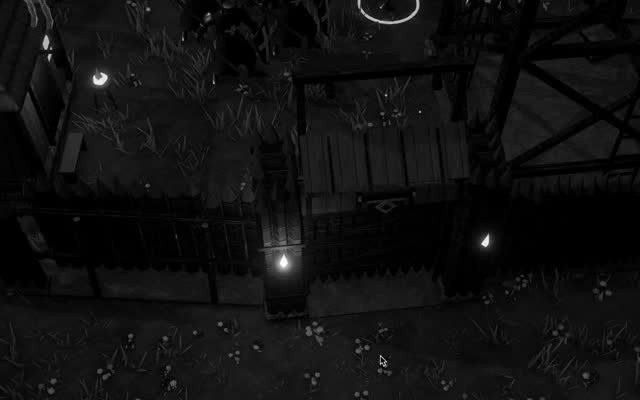
The practical consequence is that a good component does one thing and assumes little about its neighbours. A Health script that only tracks hit points and raises an event when they reach zero can live on a soldier, a gate or a wooden palisade of the kind that rings a settlement in Crown & Ashes, all without modification. A Health script that also plays a death animation, awards experience and updates the interface has quietly welded itself to one kind of object. Small, focused components are what turn composition from a slogan into an advantage.
Inheritance does not vanish entirely, of course. Every script that attaches to a GameObject derives from MonoBehaviour, which itself derives from Behaviour and Component, and developers remain free to build modest hierarchies of their own scripts where a shared base class genuinely clarifies the code. The matter is one of proportion. Inheritance becomes a tool for sharing implementation among a few closely related scripts, while the larger question of what an object can do is settled by the components it carries, which a designer may change in the Inspector without touching a single line of code.
The price of looking things up
Components rarely work alone, so they must find one another. The standard tool is GetComponent, a method that searches the GameObject a script is attached to and returns the first component of the requested type, or null if there is none. Its relatives, GetComponentInChildren and GetComponentInParent, extend the search downward or upward through the hierarchy, and plural forms such as GetComponents return every match. These are the ordinary means by which a movement script finds its Rigidbody, or a weapon finds the Animator it is supposed to drive.
GetComponent is not free. Each call walks the object's list of components and compares types, and while one call is cheap, the cost accumulates when it is made every frame on hundreds of objects. The classic mistake is to write it directly inside Update, so that a script asks for its own Rigidbody sixty or a hundred times a second and receives the same answer each time. Nothing breaks, which is precisely why the habit survives; the waste is silent, and it shows itself only when a profiler is finally pointed at a crowded scene.
The remedy is caching. A script looks up the components it needs once, usually in Awake, stores the results in private fields, and uses those fields from then on. Many developers go further and expose the reference as a serialized field, dragging the component into its slot in the Inspector so that no lookup happens at runtime at all. Where a component may or may not be present, TryGetComponent offers a cleaner test that returns a boolean, and it avoids the small allocation GetComponent makes in the editor when it finds nothing.
Searches that cross the whole scene deserve even more suspicion. GameObject.Find, which locates an object by name, and FindObjectOfType, replaced in recent versions by FindFirstObjectByType and FindAnyObjectByType, are convenient during prototyping and expensive in a running game, because their cost grows with the size of the scene. They belong in setup code that runs once, if anywhere. A project that leans on them heavily is usually a project whose objects have no clear way of being introduced to each other, and the cure there is architectural rather than a matter of speed.
Parents, children and the hierarchy
The Hierarchy window is not merely a list but a tree. Any GameObject can be made the child of another by dragging it onto its parent, or in code by calling SetParent on its Transform. The relationship is held entirely in the Transform component, which keeps a reference to its parent and an ordered list of its children. This is the deeper reason the Transform is indispensable: it is not only a position in space but the joint by which every object is connected to the larger structure of the scene around it.
A child's position, rotation and scale are stored relative to its parent. The Inspector shows these local values, and code reaches them through localPosition, localRotation and localScale, while position and rotation report the object's place in world space after every ancestor's transformation has been applied. Move a cart, and the barrels loaded on it move too, without a single line of code touching them. Rotate the base of a turret, and the barrel mounted on it swings about the same pivot. Most articulated things in a game, from doors to marching columns, are built this way.
SetParent takes a second argument, worldPositionStays, which decides what happens at the moment of reparenting. When it is true, the default, Unity recalculates the local values so that the object remains exactly where it was in the world. When it is false, the existing local values are kept, and the object jumps to the corresponding spot beneath its new parent. Picking up an item usually wants the second behaviour, so that a sword snaps neatly into the hand's grip; releasing a child from a group usually wants the first, so nothing visibly leaps.
Activation follows the tree as well. Deactivating a parent with SetActive(false) hides and disables every descendant, even though each child's own active flag is left unchanged. Unity distinguishes the two states with separate properties: activeSelf reports the flag set on the object itself, and activeInHierarchy reports whether the object is truly active once its ancestors are taken into account. Confusing them is a common source of quiet bugs, such as a script that believes an object is live because its own checkbox is ticked, while a grandparent somewhere above has been switched off.
Adding parts and insisting on them
Components need not be placed by hand. AddComponent attaches a new component to a GameObject at runtime and returns it, ready to be configured. A spell might add a burning effect to whatever it strikes; a destructible wall might add a Rigidbody to each fragment at the moment it shatters, so that the pieces become physical only when they need to be. The counterpart is Destroy, which removes a component or a whole GameObject once the current Update loop has finished rather than instantly, a detail that surprises anyone who checks for the object a line later.
Some components are meaningless without others. A script that pushes an object around with forces is useless without a Rigidbody, and a script that plays footsteps cannot function without an AudioSource. The RequireComponent attribute, placed above the class declaration with the needed type named inside it, records that dependency in the code itself. When the script is added to a GameObject in the editor, Unity adds the required component automatically if it is missing, and it refuses to let anyone remove that component while the dependent script remains attached.
RequireComponent has limits that deserve attention. It acts when the script is added, so placing it on a script that already sits on many objects adds nothing to them retroactively; those objects must be repaired by hand, or by removing and attaching the script again. It also guarantees presence, not configuration: the Rigidbody it adds arrives with default settings, and the dependent script must still fetch and cache it. Used with these limits in mind, the attribute turns an unspoken assumption into an enforced rule, the kind of documentation that cannot drift out of date.
Thinking in parts
The deepest change composition asks of a developer is a change in the order of questions. Instead of beginning with a noun, a Knight or a Tower, one begins with verbs and properties: this thing must take damage, cast light, block movement, answer to the player's selection. Each of those becomes a candidate component, and the knight and the tower become different arrangements of overlapping parts. A torch carried by a villager and a brazier fixed to a wall may share one flickering light script, differing only in the objects that hold them.
This style rewards communication through narrow channels. A Health component that raises an event when it empties does not need to know who is listening; one script on a soldier might respond by playing a death animation, while another on a gate swaps in a broken mesh. Each piece remains ignorant of the others' purposes, and so each can be reused, tested or replaced alone. The opposite pattern, components reaching deep into one another through long chains of GetComponent calls, recreates the rigid coupling inheritance was blamed for, only scattered across many files.
None of this is unique to Unity; the entity and component idea runs through much of modern engine design, and Unity's own Data Oriented Technology Stack carries it further, separating data from behaviour entirely for the sake of performance. Yet the classic GameObject model remains the way most Unity projects are built, and its central idea fits in a sentence: an object is a place to put things. Once that is grasped, the Hierarchy stops looking like a cast of characters and begins to resemble a workshop, every name a bench on which parts wait to be assembled.