The Game Loop: The Heartbeat Inside Every Game
Every game is one loop repeated many times a second: read input, advance the world, draw it. How that loop measures time decides whether physics stays stable, motion stays smooth and the game behaves identically on every machine.
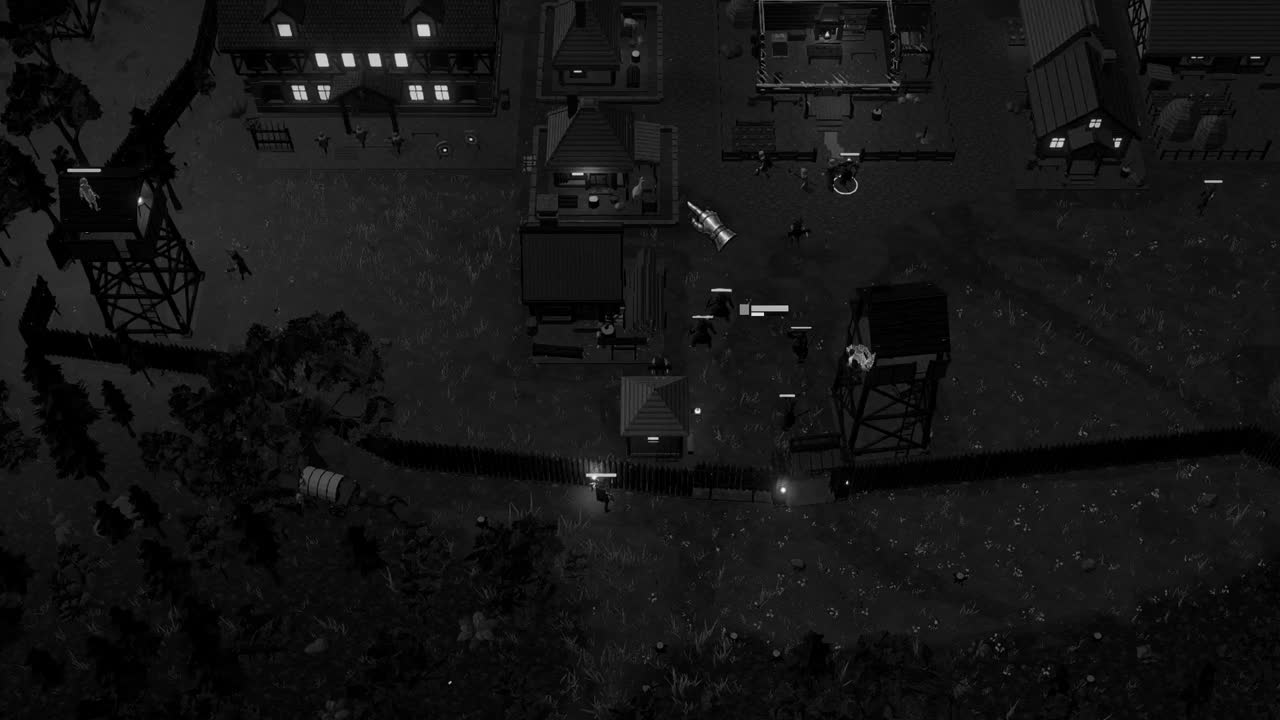
Somewhere beneath every game, however grand or humble, there runs a loop that never stops while the game is open. It asks what the player has pressed, it moves the world forward by a sliver of time, it draws the result, and then it asks again, and again, sixty or a hundred and forty four times every second, with a monotony that would drive any living worker to despair. Everything a player experiences as a game, the swing of a sword or the slow advance of a shadow across a field, is assembled out of these repetitions.
The loop is so fundamental that engines hide it from most of the people who build on them. A Unity developer writes methods called Update and FixedUpdate and trusts that something will call them; few ever see the outer machinery that does the calling. Yet nearly every subtle bug involving time, from a jump that reaches different heights on different computers to an object that passes straight through a wall, traces back to how that hidden loop measures and spends the seconds it is given.
The pages that follow open up that machinery. They describe the three basic phases of a frame, the strict budget of milliseconds a frame must fit inside, the trouble with letting the length of a frame dictate the size of a simulation step, the fixed timestep with an accumulator that Glenn Fiedler explained in his well known article Fix Your Timestep, the interpolation that keeps such a loop looking smooth, and the way Unity arranges all of this behind its familiar callbacks.
Input, update, render
In its plainest form the loop has three phases. First it gathers input: the state of the keyboard, the mouse, a gamepad, a touch screen, and whatever messages the operating system has queued for the window. Then it updates the simulation, applying that input and advancing everything that changes over time, whether characters, projectiles, timers, cooldowns or the clock that turns day into night. Finally it renders, turning the current state of the world into an image and handing it to the display. Then it returns to the top and begins once more.
The order is not arbitrary. Reading input before updating means the player's action affects the very frame that follows, rather than one frame later, which shaves a little latency from every press. Updating before rendering means the image always shows a consistent, completed state rather than a world caught halfway through being changed. A loop that rendered in the middle of an update would occasionally draw a character whose body had moved while its sword had not, a small tearing of reality that players would feel even if they could not name it.
Real engines elaborate each phase considerably. The update may be split into stages, with physics, animation, scripts and audio each taking their turn, and some work, such as streaming terrain or building navigation data, may run on other threads in parallel. Rendering is often pipelined, the CPU preparing commands for one frame while the GPU is still drawing the previous one. Yet the essential rhythm survives all of this decoration: sense, think, show, and repeat, as regular as breathing and as easily taken for granted.
A loop with nothing to slow it will run as fast as the hardware allows, which is rarely what anyone wants. It burns power, heats a laptop, and produces frames faster than the screen can show them. Most games therefore pace the loop, either by waiting for the display's vertical refresh, so that a frame is presented exactly when the monitor is ready, or by sleeping until a target interval has passed. In Unity, the first is controlled by QualitySettings.vSyncCount and the second by Application.targetFrameRate.
The frame budget
A target frame rate implies a deadline. At sixty frames per second, one second is divided into sixty equal slices, and each frame must complete its input, update and render inside 1000 divided by 60, or about 16.67 milliseconds. At thirty frames per second the budget doubles to about 33.33 milliseconds. At 144 frames per second, the refresh rate of many gaming monitors, it shrinks to under seven. This is the frame budget, and it is the single number that every performance conversation in game development eventually returns to.
The budget is unforgiving because it is shared. Physics, animation, artificial intelligence, audio mixing, culling and draw call submission all draw from the same 16.67 milliseconds, and the GPU has its own parallel deadline for the pixels themselves. If the scripts take eight milliseconds, physics four and rendering preparation six, the total of eighteen has already overrun the budget at sixty frames per second, and the frame arrives late. With vertical sync enabled, a frame that misses its slot may wait for the next refresh, so a slight overrun can halve the visible frame rate.
It is also why averages mislead. A game that produces most frames in ten milliseconds but occasionally takes forty, when garbage collection runs or a new area loads, will report a comfortable average while feeling unpleasant to play, because the eye notices the hitch far more than it appreciates the many quick frames around it. Experienced developers watch the worst frames, not the mean, and profile with tools like the Unity Profiler to see which part of the loop has swollen past its share.
Variable time and its dangers
Since frames vary in length, the simplest way to keep movement steady is to scale every change by how long the last frame took. That duration is called delta time, exposed in Unity as Time.deltaTime. A character moving at five metres per second advances five times delta time each frame: 0.0833 metres in a frame of 16.67 milliseconds, twice that in a frame of 33.33. Over one second the total comes to five metres either way, and the motion looks the same speed on a fast machine and a slow one.
For constant motion this works perfectly. The trouble begins when the simulation involves acceleration, collisions or springs, because numerical integration is only an approximation and its error depends on the size of the step. Consider an object falling from rest under a gravity of ten metres per second squared, updated by the common method of first adding acceleration to velocity and then velocity to position. After one second, the exact answer is five metres. With ten steps of 0.1 seconds the method gives 5.5 metres; with two steps of 0.5 seconds it gives 7.5.
The consequence is that a game whose physics follows the frame rate behaves differently on different machines. A jump reaches a different height; a spring that is stable at sixty frames per second oscillates and explodes when a slow frame produces a large step; a fast projectile that would have touched a thin wall in two small steps leaps clean over it in one large one, a failure known as tunnelling. None of these bugs shows up reliably in testing, because they depend on the exact sequence of frame times on a particular player's computer.
The fixed step and the accumulator
The remedy, set out clearly in Glenn Fiedler's Fix Your Timestep, is to decouple the simulation's step from the frame's length. The physics always advances by the same small interval, say one fiftieth of a second, no matter how long a frame took. To make this match real time, the loop keeps an accumulator. Each frame it adds the measured frame time to the accumulator, then runs as many fixed steps as fit, subtracting the step size each time, and leaves any remainder for the next frame.
A worked example makes the rhythm plain. Suppose the fixed step is 20 milliseconds and the game renders at 60 frames per second, so about 16.67 milliseconds pass per frame. After the first frame the accumulator holds 16.67, not enough for a step, so physics does not run at all. After the second it holds 33.33, so one step runs and 13.33 remains. Over six frames, which span 100 milliseconds, exactly five physics steps execute. Some frames run one step and one frame runs none, but the simulation advances at exactly real time.
The method needs one safety catch. If a frame takes far too long, perhaps because the machine stalled, the accumulator fills with so much time that the loop must run dozens of steps to catch up, which makes the next frame even slower, which demands even more steps. This feedback is called the spiral of death, and the cure is to clamp the time added in any one frame, accepting that the game will briefly run slower than real time rather than freeze altogether. Fiedler's own example clamps the frame time at a quarter of a second.
What the fixed step buys is determinism, or something close to it. Given the same inputs at the same steps, the simulation produces the same results on any machine, which makes physics stable, jumps consistent and bugs reproducible. It is the foundation on which networked games, replays and lockstep strategy simulations are built, since all of them depend on two computers reaching the same state from the same sequence of commands. Floating point differences between processors can still intrude, but the variable timestep's chaos is gone.
Interpolation between states
The fixed step introduces a visual problem of its own. If physics runs at fifty steps per second and the display at sixty or a hundred and forty four, then some frames are rendered with no new physics state at all, and moving objects appear to stutter, holding still for a frame and then jumping. The higher and more mismatched the refresh rate, the worse it looks. A camera following a fast body will reveal this jitter immediately, even when the frame rate counter insists all is well.
The solution is to keep the two most recent physics states and render a blend between them. After draining the accumulator, the leftover time divided by the step size gives a fraction between zero and one, often called alpha, describing how far the real present lies between the previous step and the current one. The renderer draws each object at the previous state plus alpha times the difference. With a remainder of 13.33 milliseconds and a step of 20, alpha is about two thirds, and the object is drawn two thirds of the way along.
Interpolation costs a little latency, because the rendered image always lags the newest physics state by up to one step. The alternative, extrapolation, projects forward from the current state instead, which removes the lag but guesses wrong whenever something collides or changes direction, producing small visible snaps. Most games accept the slight delay of interpolation as the better bargain, since a delay of twenty milliseconds is rarely perceived while a stutter in motion almost always is.
How Unity arranges the loop
Unity implements exactly this design, with names attached. Update is called once per rendered frame with a variable Time.deltaTime, and is the place for input, camera logic and anything visual. FixedUpdate is called zero or more times per frame, at an interval set by Time.fixedDeltaTime, which defaults to 0.02 seconds, or fifty steps per second; the physics engine steps immediately after it. LateUpdate follows all Update calls, useful for cameras that must move after their targets. Inside FixedUpdate, Time.deltaTime returns the fixed interval, a quiet courtesy that keeps code consistent.
The accumulator's safety catch is there too, as the Maximum Allowed Timestep setting in the Time settings, which caps how much simulated time Unity will try to catch up in a single frame. Interpolation is exposed per body through the Rigidbody's interpolation property, with options for None, Interpolate and Extrapolate. Setting a player character's Rigidbody to Interpolate is the standard cure for the jitter that appears when a camera follows a physics object that is moved in FixedUpdate while the camera moves in LateUpdate.
Knowing the loop explains the usual rules of Unity scripting. Apply forces to a Rigidbody in FixedUpdate, because that is when physics consumes them; read input in Update, because a key pressed and released between two fixed steps may otherwise be missed entirely. Scale visual motion by delta time, and never by a hardcoded per-frame constant. Even a slow clock, such as the turning from day to night in a game like Crown & Ashes, should advance by measured time rather than by counting frames, or the night will fall sooner on a faster computer.